Showing posts with label All Subject Areas. Show all posts

Tuesday, June 25, 2019

Edhelper

Many teachers don't like to assign worksheets to their students for various reasons. Some teachers say that worksheets don't provide the rigor that the students need, or that "drill and kill" is not a good thing.

I feel like every now and again, a worksheet won't hurt. I use Edhelper for those times that I need a worksheet. I mainly use them for my sub plans. A lot of the time I use the problems from a worksheet and revamp it to add rigor, or do error analysis, etc.

Edhelper has all subject areas and all grade levels. There is a free version, as well as a paid version.


Tuesday, June 11, 2019

Pocket Charts

Pocket charts can literally be used in any subject in class. Here are two examples for how I use pocket charts.  

1.) I use one for our class daily schedule. In middle school, we have A Days and B Days. I interchange the schedule based on the day. Depending on the grade level, this can be a student's job. That will take one less thing off your plate and will help students to be responsible. If you choose to assign this responsibility to a student, I recommend you change the student each month.


2.) The other way I use pocket charts is for my Word Wall. Most districts require teachers to have a word wall. I use a pocket chart because I change my words based on the unit of study. These are the same words that the students have written on their Walking Word Wall. Students are also allowed and encouraged to add words to the word wall. When they come across a new math word that they didn't know, they can write it on a sentence strip and add it to the Word Wall.


Tuesday, April 30, 2019

ELL Strategies - Lucky 7

Here are a my Top 7 Strategies for teaching English Language Learners (ELLs):

1.) Slow down your speech. Some students are taking what you say in English, translating it into their native language, then translating their response from their native language into English. Therefore, the students need more processing time.

2.) Wait Time - Because all of that translating is taking place in their minds, ELLs need extra time to process what is being said/asked. Once you ask a question, give the students about 5 seconds to respond before moving on or rephrasing your question.

3.) Use graphic organizers to help organizing thinking.

4.) Use manipulatives in Math to help with the conceptual understanding.

5.) Use sentence frames and/or sentence starters to help the students to formulate their responses or conversations among their group mates.

6.) Provide an opportunity for the students to read, write, listen, and speak several times a day every day.

7.) Cooperative groups is imperative. It helps the students to practice their listening and speaking and it also takes some of the pressure off of them when it comes to responding to the teacher. Students should work in groups several times a week.

Tuesday, March 12, 2019

Versatiles

Versatiles are a fun, self-checking learning center. Students can reinforce previously taught skills. They have grades Kindergarten up to Algebra 1 and Geometry.


To see how they work, take a look at this video...


Tuesday, January 29, 2019

Bookmarks

I know many of us use some sort of Bookmarking feature to help you to access your frequently used website. I use Symbaloo. It's strictly for bookmarking. You can access all of your websites as long as you are connected to the internet. So, if you save your bookmarks on your computer, but don't have your computer with you, you may be out of luck.  With Symbaloo, just log into your account and there they are...all of your bookmarks.

It's easy! Create an account. I use the free version.
Just right click on a blank space to create a tile.
Type in the website address. Voila!
Your favorite website is now saved on a "Webmix" (pictured below).

You can also share a Webmix with others. For example, if you want your students to access certain websites for your class. 

Work Smarter, Not Harder

Screenshot of a Webmix

Tuesday, December 4, 2018

Cooperative Groups Role Selection

When the students are working in Cooperative Groups, teachers often assign them roles. I use Reporter, Facilitator, Recorder, and Materials Manager. The group roles can vary depending on how many students you have in each class/group. Since my class desks are in quads, I use 4 roles.

Here is how we chose group roles. We want it to be random. So I use this idea:


The apples are magnetized so I can switch them around.
  1. I put the 4 apples in my hand.
  2. In the middle of each quad, I have 4 colored circles that match the apples above (red, green, yellow, and blue). 
  3. Each student randomly chooses 1 color. The students do not know which role they have chosen.
  4. I then put a colored apple by the role, as pictured above, after all students have selected a color. 
Using this strategy to choose roles stops the same people from always being the "leader" of the group.

Tuesday, August 21, 2018

Flocabulary

Flocabulary is a video warehouse, where all the videos have a Hip Hop flare. All the educational videos are put to music and the lyrics are educational via rap. There is generally is a catchy hook so the students can sing along.


  • There is free version and a paid version. There are only a certain number of videos per subject in the free version. The paid version, for teachers, is $96 per year.
  • You can save videos as favorites for easier access.
  • You can pause the videos to have student discussion opportunities. 
  • The biggest plus, in my opinion, is the videos are aligned to the Common Core State Standards.

Tuesday, August 14, 2018

First Week of School

Well, the first week of school is coming and I wanted to share some housekeeping things that I do. Hopefully, it'll give you some ideas you can use.

There are 4 categories: 
1. Papers to give to send home 
2. For the students to do
3. Papers for the students
4. For the room


Three papers to go home...
1. I send home a press release provided by our district in the event I want to post on my twitter (@anfmathgr6) or on-line some of the things we do in class.
2. I send home a Donors Choose press release in the event I want to put up a project. See the filter for more information on Donors Choose.
3. I send home a Parent Contact Form. I need parent names, phone numbers, and email addresses in case I need to get in contact with them. I also created a google form, which is the electronic copy of the Parent Contact Form. The paper copy has English on one side and Spanish on the other. The google form has both English and Spanish as well.

Three things for the students to do...
1. Student Profile with Learning Styles Survey - I want to get to know as much as possible about my students at the onset of the year so I can know the best way to play according to their learning styles. So I created a Student Profile Google Form and the last question is a link to an online learning style quiz. They have to enter their results (Auditory, Kinesthetic, or Visual) on their form before submitting.
2. Since I teach 6th grade in a middle school, I don't have the privilege of knowing the students prior to their arrival. So I ask (in the student profile) where they went to elementary school and what is the name of their 5th grade math teacher in the event I need more information on the types of learners they are.
3. I want to know how their parents communicate. Since I'm in a predominately Hispanic building, I need to know which of my parents speak English or Spanish, which of them read English or Spanish, which of the can understand English or Spanish, and which of the can do all of the above. I need to know how to communicate with my parents.

Three handouts for students
1. Standards of Mathematical Practices on a half sheet - The students have this in the front of their interactive notebooks (composition books) as a reference.
2. Walking Word Wall - Most classrooms have Word Walls. As students travel from one class to another and even when they go home, I wanted them to have access to their math vocabulary at any time.
3. School Supply List

Three things to post in the class
1. A list of websites that students will use during the school year.
2. Class Signs/Labels - Objectives, Homework, Today's Topic, Agenda, etc.
3. My alma mater paraphernalia - Banner, Pennant, Admission Requirements, etc. - Let's get the students thinking about college. It's never too early.


Tuesday, August 7, 2018

Morning Writing Activty

Every morning, I have the students to write in a Morning Journal.  I provide the students with a writing prompt and they are to respond. This allows the class to be calm in the morning, while you get ready for the Morning Announcements.

Journal Entries are numbered. At the end of the week is "Free Writing Day" where the students can write about whatever they like as long as its appropriate. Occasionally, I would read and respond to their responses.

On the front of the book, the students have to write their name and "Morning Journal".


Traditional Classroom or Hybrid Classroom
When I taught in a traditional classroom. I wanted to add more technology to eventually go paperless; therefore, becoming a Hybrid Classroom. A Hybrid class is where you provide instruction and assign work the traditional way and using technology.

I had the students to use a Composition Book to record their morning journal response. I would write the Morning Journal Prompt on the board. The students would respond to the prompt in at least 10 lines. 

If the students come to school late, they are still responsible to complete the entry. If they are absent, they just write "Absent" or have a "Free Writing Day".

1-to-1 Classroom
Instead of a Composition Book, the prompt is provided via Google Classroom (Ask a Question). The students are to respond in at least 5 sentences. If the students come to school late, they are still responsible to complete the entry. If they are absent, they are still responsible to complete the entry because the Prompt doesn't go away. It remains in Google Classroom.

I hope you find this useful.

Tuesday, June 19, 2018

Frayer Model

Frayer Models are graphic organizers that allow the students to uncover Academic Vocabulary. You can include anything that you want the students to write about.

How I Use Frayer Models:

  • This is great for English Language Learners (ELLs) because Writing is one of the components they need to practice. They can even read what they have written to the other students in their group, which addresses the Reading, Listening, and Speaking components, because they are reading their responses, saying what they wrote, then listening to the other students in their groups.
  • This is a good center activity.
  • Exit Ticket - Have students create their own Frayer Models on a Post-It Notes.
The Frayer Model generally has 4 sections and a Concept Word in the middle.  See two examples that I use in my Math Class. I just changed "Non-Example" to "Illustration" depending on the Concept Word. If you click on the captions below each Frayer Model, you can save a copy to your Google Drive. They were created in Google Slides. 

Tuesday, June 12, 2018

Kahoot

Kahoot is a free web-based platform for classrooms. Teachers and students can create an account to create, host, and share learning games. There are millions of games already created. Students can play individually or in teams. The host will decide. The teacher runs/hosts the game from a device and LCD Projector.

You can set time limits and add images. Each student will need a device that connect to the internet (i.e. Chromebook, desktop, tablet, or cell phone, etc.).


There is also an app available on iOS and Android.

For more information, go here for the Starter Kit: Video Tutorials.

Tuesday, June 5, 2018

Google Classroom


Google Classroom is a platform that makes it easy for educators and learners to connect...inside and outside of school. Its perfect for a paperless classroom. Teachers can assign work and students can submit work on this platform.

You can post an announcement, post an assignment (compatible with Google Forms, Docs, Slides, and Sheets), post a question (open ended and multiple choice/poll), and reuse a post from that class or another class. All of this is on the "Stream" tab.

On the "Students" tab, will be a list of students and a place for you to add parents' emails. The class code is there. Give the students the code or email/invite the students.

Finally, on the "About" tab, you can post class materials (i.e. syllabus).

Google Classroom is web-based. There is also an App that can be downloaded on Apple and Android products.


Apple Classroom


Apple Classroom is an iPad Management tool. Our school is a 1-to-1 iPad school. Each student has access to their iPad for the entire day.

Often, some students aren't where you have instructed to be. Maybe you want the students to be on BrainPop, but they end up on YouTube or something. Well, Apple Classroom will take care of that.

What you can do with Apple Classroom:
  • Lock the students' iPads completely
  • Send the students to a specific App
  • Send the students to a specific website
  • View the students' iPad screen
  • Mute the sound on the students' iPad
  • Lock the students into a specific App or website
The teacher has to have an iPad to download the App. The students' iPads don't need the App. The App is not on iPhone or Mac.

For assistance, visit: https://help.apple.com/classroom/ipad/2.2/#/cla6d39b9338

Tuesday, May 22, 2018

Nearpod


Nearpod adds a lot to your class. It is a web-based program that allows you to control the presentation. For instance, when you provide the students with access to your PowerPoint Presentation, they tend to move ahead of you or they fall behind. Nearpod lets you control what "slide" the students are on. You can insert questions, images, virtual field trips, etc. into the presentation that the students can view.  It's web-based or you can use that App.
  • There is a free version and a paid version. 
  • There are thousands of free and paid customizable lessons already created by expert educators and their educational partners.
  • Teachers share a live lesson, students enter a code, and the lesson is synced to all devices.
  • Teachers can view students responses individually or as a class.
  • Teachers can print reports.
  • Teachers can share students' responses with the class.
  • Teachers can import from Google Slides and PowerPoint.
  • Follow the guidelines to become Nearpod Certified.

Monday, May 21, 2018

Empty Fruit Cups

Empty Fruit Cups have been a savior. It helps maintain management with rituals and routines within your class. Of course, these rituals and routines have to have been in place or established the first time using them.

You probably get some from the cafeteria from your school if you ask nicely.


How you can use them...

  • I use them to put manipulatives in. This allows me, and the students, to keep track of the manipulatives that were given out.
  • They work great to put number cubes (dice) in so that the number cubes aren't flying all over the desk. The fruit cups must have a lid you can see through so that when you shake the number cubes, you can see the results.
  • In Algebra, the cup can act as the variable when performing operations and algebraic expressions or equations.
  • They can be used across subject areas to keep track of materials or resources.
Be sure the students don't squeeze and destroy them.

Tuesday, May 15, 2018

Sumdog

ENGAGING, EVIDENCED-BASED LEARNING...
"Sumdog provides engaging adaptive learning for K-8 math, K-6 spelling, and K-5 grammar.
Our powerful learning engine adapts questions for each individual. It's aligned to the Common Core and key state standards. Meanwhile, our engaging activities are designed to motivate all students to learn.
Our aim is to close the achievement gap - by helping every student reach their full potential."

I love how the there are games are adaptive and the faster and the more accurate the students are, the games adjust. The students can even play against one another.
They even have Reading, Writing, and Spelling components.

There is an App. Unfortunately the games don't work on a tablet through the internet. You have to go through the App. But it is web-based.

Tuesday, March 27, 2018

Classcraft

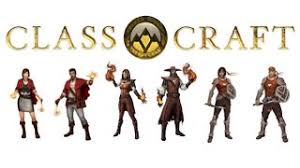
Classcraft allows you to transform your classroom into an epic adventure your students can play throughout the year.
It's a web-based classroom management system that brings gaming into your class. It's along the same lines as Class Dojo. It's like Class Dojo on steroids.  What can be done? There is also an App.

Students

  • Create their character (1 of 3)
    • Healer
    • Mage (well-behaved students)
    • Warrior (students that get in trouble a lot)
  • Earn XP (Experience Points)
  • Earn GP (Gold Pieces) - Rare
  • Use their powers, based on their character
Teachers
  • Award XP or GP
  • Deduct HP (Health Points)
  • Connect with parents (parents and award GP too)
  • Personalize behaviors for students to earn XP
  • Personalize sentences for students that "fall into battle (die)"
  • Personalize random events
  • Personalize game rules 
  • Attach to Google Classroom (paid version)
  • Create Formative Assessments (paid version)
  • Monitor Volume and award/deduct points (paid version)