Showing posts with label Google Classroom. Show all posts

Tuesday, November 6, 2018

Brainpop


Image result for brainpop

Brainpop is a web-based educational resource. It houses videos, quizzes, games, etc. by subject area. 


There is an App in English, Spanish, French, and even an App for ESLs.

Quizzes

  • If you're in a 1-to-1 school and the App is on the students' iPads, their quiz results are saved.
  • Graded Quiz - Be careful, the quiz questions and answer choices are in the same order each time. So, if you are requiring the students to get a certain score, they can write down the answers the first time they take the quiz, then put all the correct answers in on the next time around.
  • I have the students take a screenshot of their results and post them in Google Classroom.
There some free videos; however, if you want the full experience, you will need a subscription. Some subscription options are:
  • Home - $115/year
  • Classroom Access (1 teacher/3 devices) - $230
  • School - $1795

Friday, August 31, 2018

5 Favorite Apps

I wanted to share my 5 Favorite Apps that I use in my classroom.  Keep in mind that I don't use all 5 of these apps every single day.  I use Google Classroom and Classcraft everyday.  Follow the links to past posts to get more information.

1.) Google Classroom - Allow the teacher post announcements, assignments, and questions all in one place.

2.) Classcraft/Class Dojo - Behavior Management Apps.  In my opinion, Classcraft is for grades 5 and up, where as Class Dojo is for grades K-6.

2.) Plickers - Assessments using technology when you don't have 1-to-1 devices.

3.) Nearpod - Presentation App that lets you keep the students on the same "slide" as you. When you go to the next "slide", the students' device will also go to the next "slide".

4.) Remind - Text messaging app so you can communicate with parents.

Tuesday, August 7, 2018

Morning Writing Activty

Every morning, I have the students to write in a Morning Journal.  I provide the students with a writing prompt and they are to respond. This allows the class to be calm in the morning, while you get ready for the Morning Announcements.

Journal Entries are numbered. At the end of the week is "Free Writing Day" where the students can write about whatever they like as long as its appropriate. Occasionally, I would read and respond to their responses.

On the front of the book, the students have to write their name and "Morning Journal".


Traditional Classroom or Hybrid Classroom
When I taught in a traditional classroom. I wanted to add more technology to eventually go paperless; therefore, becoming a Hybrid Classroom. A Hybrid class is where you provide instruction and assign work the traditional way and using technology.

I had the students to use a Composition Book to record their morning journal response. I would write the Morning Journal Prompt on the board. The students would respond to the prompt in at least 10 lines. 

If the students come to school late, they are still responsible to complete the entry. If they are absent, they just write "Absent" or have a "Free Writing Day".

1-to-1 Classroom
Instead of a Composition Book, the prompt is provided via Google Classroom (Ask a Question). The students are to respond in at least 5 sentences. If the students come to school late, they are still responsible to complete the entry. If they are absent, they are still responsible to complete the entry because the Prompt doesn't go away. It remains in Google Classroom.

I hope you find this useful.

Tuesday, June 5, 2018

Google Classroom


Google Classroom is a platform that makes it easy for educators and learners to connect...inside and outside of school. Its perfect for a paperless classroom. Teachers can assign work and students can submit work on this platform.

You can post an announcement, post an assignment (compatible with Google Forms, Docs, Slides, and Sheets), post a question (open ended and multiple choice/poll), and reuse a post from that class or another class. All of this is on the "Stream" tab.

On the "Students" tab, will be a list of students and a place for you to add parents' emails. The class code is there. Give the students the code or email/invite the students.

Finally, on the "About" tab, you can post class materials (i.e. syllabus).

Google Classroom is web-based. There is also an App that can be downloaded on Apple and Android products.


Tuesday, March 27, 2018

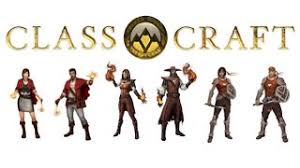
Classcraft

Classcraft allows you to transform your classroom into an epic adventure your students can play throughout the year.
It's a web-based classroom management system that brings gaming into your class. It's along the same lines as Class Dojo. It's like Class Dojo on steroids.  What can be done? There is also an App.

Students

  • Create their character (1 of 3)
    • Healer
    • Mage (well-behaved students)
    • Warrior (students that get in trouble a lot)
  • Earn XP (Experience Points)
  • Earn GP (Gold Pieces) - Rare
  • Use their powers, based on their character
Teachers
  • Award XP or GP
  • Deduct HP (Health Points)
  • Connect with parents (parents and award GP too)
  • Personalize behaviors for students to earn XP
  • Personalize sentences for students that "fall into battle (die)"
  • Personalize random events
  • Personalize game rules 
  • Attach to Google Classroom (paid version)
  • Create Formative Assessments (paid version)
  • Monitor Volume and award/deduct points (paid version)